IPTV Ontario: tonight’s TV, from the condo to the cottage
Live channels, movies and series on every screen at home, with the TV guide set to Eastern Time. Three plans in Canadian dollars, paid once, and setup help for condos, family homes and bilingual households.
Everything set for your household
Set the TV guide once and every show starts on time. Northwestern Ontario on Central Time? We cover that too.
Crowded towers mean crowded Wi-Fi. Our condo guide shows how to keep streams smooth.
Several devices, profiles and parental controls in the player. IPTV for families.
Bilingual or multilingual home? Set app language, audio and subtitles. Ask support about a specific language.
No contract, no automatic renewal. Pay once for 1, 3, 6 or 12 months.
By e-mail and WhatsApp, in English and French, whenever you need a hand.
How IPTV Ontario works, from your order to the first channel
No installer at the door, no box to rent and no account to open with anyone else. Four pieces fit together, and you already own most of them.
Think of it like a library card. Your internet provider gives you the road, your TV or stick is the car, the player app is the dashboard and the login we send is the card that opens the doors. Nothing travels through a coaxial cable or a satellite dish. Everything arrives over the same connection that already carries your video calls and your kids’ homework, which is why the speed section further down matters more than any other setting.
- Evening, at the kitchen table
Pick a pack and a length
Settle on a pack first, then on how many months it should last. Every pack works on the same devices; only the library and the 4K depth change.
- Same screen
Pay once, in Canadian dollars
Card or PayPal. One charge, no card kept on file for a later charge, no renewal running quietly in the background.
- Within minutes
Open the e-mail with your access
It holds Xtream Codes details (a server address, a username and a password) or an M3U link. Leave it open on your phone while you set up.
- On the couch
Type the login into the player
Choose the Xtream Codes option, key in the server, username and password, and the channel groups begin to load.
- Before the late news
Fix the guide to Eastern Time
One setting in the player lines the TV guide up with Ontario clocks, so the programme you see listed is the one actually playing.
Inbox still empty? Look through the junk and promotions folders, then search for the address you typed at checkout. A typo in the address is the usual reason. Write to support with your order details and they will resend it.
IPTV plans for Ontario households
Prices in Canadian dollars. The longer the plan, the lower the cost per month.
Premium Pack
The essentials, in HD and 4K
that is /month · 12 months
you save- 20,000+ channels
- 24,000+ series
- 100,000+ movies
- HD · Full HD · 4K
- 1 connection · more on request
VIP Premium Pack
The extended catalogue
that is /month · 12 months
you save- 27,000+ channels
- 61,000+ series
- 155,000+ movies
- HD · Full HD · 4K
- 1 connection · more on request
Ultimate 4K Pack
The maximum, in native 4K
that is /month · 12 months
you save- 57,000+ 4K channels
- 47,000+ series
- 179,000+ movies
- 20 servers in Europe
- 1 connection · more on request
Big household? Each plan includes one simultaneous connection; install it on every device and watch one at a time. For several screens at once, ask support for the conditions first.
Ask supportCompare the three IPTV Ontario packs
Same players, same devices, same support. The difference sits in how big the library is and how much of it was made for a 4K panel.
Premium Pack
- Live TV: 20,000+ channels
- On demand: 100,000+ movies
- Box sets: 24,000+ series
- Plays in HD up to 4K
VIP Premium Pack
- Box sets: 61,000+ series
- Live TV: 27,000+ channels
- On demand: 155,000+ movies
- Plays in HD up to 4K
Ultimate 4K Pack
- Live TV: 57,000+ channels in 4K
- On demand: 179,000+ movies
- Box sets: 47,000+ series
- Backed by 20 servers in Europe
| Line by line | Premium Pack | VIP Premium Pack | Ultimate 4K Pack |
|---|---|---|---|
| Movies on demand | 100,000+ titles | 155,000+ titles | 179,000+ titles |
| TV series | 24,000+ titles | 61,000+ titles | 47,000+ titles |
| Live TV | 20,000+ channels | 27,000+ channels | 57,000+ channels, all 4K |
| Picture quality | Up to 4K | Up to 4K | Up to 4K |
| French-language and international content | Yes | Yes | Yes |
| Streams playing at the same moment | 1 | 1 | 1 |
| Lengths you can pick | Any of the four | Any of the four | Any of the four |
| Automatic renewal | No | No | No |
| Contract to sign | No | No | No |
Premium: the sensible default
A couple in a Liberty Village one-bedroom, a single TV and a phone for the commute. Plenty of live TV and films, with nothing wasted on a screen that tops out at 1080p.
VIP Premium: the binge household
Teenagers who each chase their own shows, grandparents who like a film after dinner. The series shelf is more than twice the size of Premium’s.
Ultimate 4K: the big-screen basement
A 4K panel in the rec room, a box wired to the router and 25 Mbps set aside for that screen alone. That is where its 4K line-up pays off.
Choose the pack your weakest link can carry: the TV, the box or the Wi-Fi, whichever is oldest.
Still torn between two? Look at what you actually did last month. If evenings were mostly live TV and the odd movie, Premium covers it. If someone in the house finished three series in a row, VIP Premium makes sense. If you bought a 4K TV for the hockey season and you can run a cable to it, Ultimate 4K is the pack designed around that screen. Current prices for every pack and every length are on the plans page, and the pack pages above list exactly what each one includes.
One month, three, six or twelve: picking the length
The length never changes what you can watch or which devices work. It only sets how long access lasts and how often you come back to order.
A short plan suits you if
- You are new to IPTV and want to see how your own Wi-Fi copes on a busy weeknight
- You are in a rental and may move before spring
- You only want it for a season of a particular sport or a winter of series
- You plan to test the player on the bedroom TV before buying a stick for the living room
A longer plan suits you if
- Your setup already runs smoothly and you do not want to reorder every few weeks
- The whole family relies on it and nobody wants the guide to go dark mid-show
- You prefer a lower cost per month, which longer plans offer
- You would rather forget about it until next winter
What happens at the end
Nothing is charged automatically. When the period ends, the player stops loading channels and you choose whether to order again, with the same pack or a different one. Mark the end date in your phone calendar on the day you order, a week early, so a long weekend at home is not the evening it runs out. The short end of the scale is covered on the 1-month IPTV subscription page, the long end on the 12-month IPTV subscription page.

IPTV Ontario in four kinds of homes
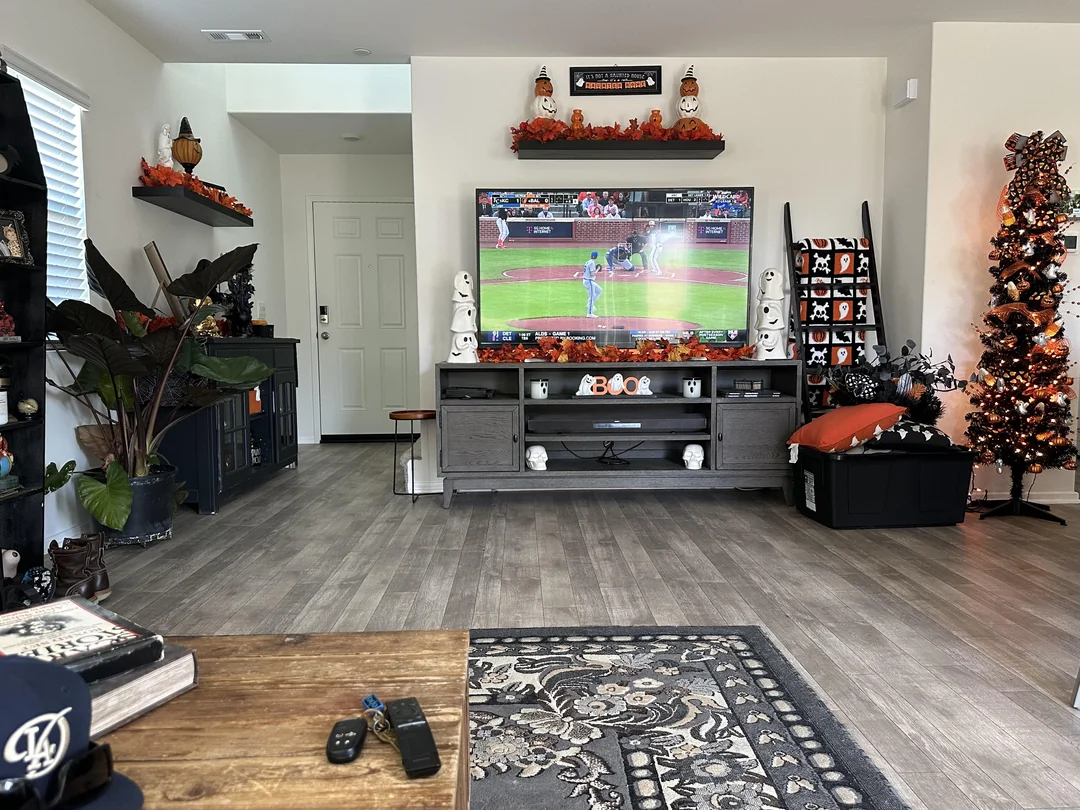
The service is identical in every postal code. What changes is the building around your router. Find the home that looks like yours and start there.
The Toronto condo
In a tower near the waterfront or along Yonge, your router competes with every unit above, below and beside you. The 2.4 GHz band is usually jammed after supper. Move the TV and the stick to the 5 GHz network, keep the router in the open rather than inside the hallway media cabinet, and if the TV sits on the same wall as the router, a short Ethernet cable solves the rest.
Many condo owners also watch on a phone while riding the subway or waiting at Union. That works nicely, provided the TV at home is switched off while the phone plays.
- TV and stick joined to the 5 GHz name
- Router out of the closed cabinet
- Cable used where the TV and router share a wall
Three generations, four screens and one internet line. Install the player on every TV and tablet, then agree on who watches when, since the plan streams to one device at a time. Ask support before ordering if two rooms need to play at once.
Then: read IPTV Brampton and IPTV for familiesThe router upstairs, the big TV downstairs, a concrete floor in between. Signal fades fast through that. A wired run or a mesh point at the top of the basement stairs usually fixes it.
Then: read IPTV MississaugaOne parent wants French audio, the other English menus, the kids want subtitles. Each setting lives in a different spot of the player; set them once per device.
Then: read IPTV Ottawa and the multilingual guideSame login, different TV. Install the player on the cottage screen before you leave the city, and check the connection up there: rural lines vary a lot.
Then: test with one HD channel firstEach city page goes deeper into the homes we hear about most in that area: the IPTV Toronto guide on towers and small spaces, IPTV Brampton on busy multigenerational homes, IPTV Mississauga on basements and dead zones, and IPTV Ottawa on bilingual settings. Living somewhere else in the province, from Hamilton to Sudbury? The advice carries over; the IPTV across Ontario hub explains how to match it to your own place.
Set up on the screens you have
 IPTV Smarters ProAll devices
 IBO PlayerSmart TVs
 Smart IPTVSamsung · LG
 GSE Smart IPTVApple
Matching your screen to a player
One login opens on every device listed here. The table tells you which player to look for first in each official app store, and which of our guides walks you through it.
| Screen in your home | Players to look for first | Best connection | Our walkthrough |
|---|---|---|---|
| Fire TV Stick behind the TV | TiviMate, XCIPTV or IPTV Smarters Pro | 5 GHz, with the HDMI extender fitted | IPTV on Firestick |
| Google TV or Android TV box on the media stand | IBO Player, TiviMate, XCIPTV or IPTV Smarters Pro | A patch cable to the router | IPTV on Android TV box |
| Samsung or LG set with nothing plugged in | IBO Player or Smart IPTV | Wired port on the TV, else 5 GHz | IPTV on smart TVs |
| Apple TV | GSE Smart IPTV, IPTV Smarters Pro | Cable where the model allows it | IPTV on Apple TV |
| iPhone or iPad | GSE Smart IPTV, IPTV Smarters Pro | Home Wi-Fi near the router | Apps hub |
| Android phone or tablet | IPTV Smarters Pro, XCIPTV | Home Wi-Fi near the router | IPTV Smarters Pro |
| Desktop or laptop PC | A player able to read an M3U link or Xtream login | Cable if the desk is near the router | M3U playlist setup |
Players are separate from us
Each app named here is installed from your device’s official app store. The software belongs to its publisher; we only provide the login that goes inside it, and we have no tie to those companies. A few players charge their own licence or offer a paid upgrade. Look up that current price on the app’s official website before setting things up.
Not sure where to begin? IPTV Smarters Pro runs on nearly every screen and is the easiest place to start. TiviMate suits people who like a grid guide that looks like a cable box. IBO Player and Smart IPTV are the usual picks when you want nothing extra plugged into a Samsung or LG.
- Player installed from the official store only
- Same login typed on each device
- One stream at a time across the house
The full breakdown of each player, with the menus you will meet and the settings worth changing, lives in the Apps hub: TiviMate, IBO Player and IPTV Smarters Pro each have their own page. For the hardware side, the Devices hub compares sticks, boxes and smart TVs.
Your first evening of setup, one screen at a time
Allow a quiet half-hour the first time. After that, adding the login to another device in the house takes a few minutes with the remote.
Before you touch a menu
Power the stick or box from its own wall adapter rather than a USB port on the back of the TV, which often supplies too little power and causes random restarts. Use the HDMI input marked 4K or ARC if your TV labels them. If the device asks for a system update the first time it starts, let it finish now rather than halfway through a film.
Then join your network. A cable beats Wi-Fi every time; if Wi-Fi is the only option, pick the router name that ends in 5G or 5GHz.
- Install the player. Open the official app store on the device, search the player’s name, and install it. Avoid lookalike apps with similar icons; check the publisher name on the store page.
- Choose the login type. When the player opens, pick Xtream Codes (sometimes called Xtream API or Login with Xtream) if your e-mail lists a server address, a username and a password. Pick M3U only if you were given a playlist link.
- Name the profile. Something like Living room or Basement. It helps later when the same login lives on several screens.
- Type the three fields. Copy them exactly from the e-mail: capitals matter, and the letter O and the number zero are easy to mix up on a TV keyboard.
- Let the lists load. The first load of channels, movies and series takes a moment. Do not press Back while the progress bar runs.
- Set the guide time. Open the player’s settings and line the TV guide up with Eastern Time, as explained in the Eastern Time section below.
- Build your favourites. Star the channels you watch every week so the remote takes you there in two clicks instead of scrolling through every group.
The three fields that matter all come from the welcome e-mail. Nothing else needs to be invented.
Prefer a playlist link? The M3U playlist setup guide shows where it goes. Want the full Xtream walkthrough with screens for each player? Read Xtream Codes setup, or start at the Setup hub.
How much internet IPTV Ontario needs on each screen
Speed is counted per screen that is playing, not per device that has the app installed. Plan the numbers below for the stream alone, then leave room for everything else in the house.
Line speed each playing screen should have to itself
Test the speed from the TV or stick itself, at the hour you usually watch, not on your laptop next to the router at noon. In many Ontario buildings the evening number is what counts: when everyone on the floor gets home, shared wiring and crowded Wi-Fi channels can cut what reaches your TV. If the test from the couch shows comfortably more than the figure for your picture quality, you are set. If it hovers close, choose the lower quality in the player or move the device onto a cable.
| Screens playing together | Line to reserve | Part of every plan |
|---|---|---|
| A single stream in HD | 10 Mbps | Yes |
| A single stream in Full HD | 15 Mbps | Yes |
| A single stream in 4K | 25 Mbps | Yes |
| Two Full HD screens | 30 Mbps | On request |
| One Full HD plus one 4K | 40 Mbps | On request |
| HD, Full HD and 4K together | 50 Mbps | On request |
Several screens at once are not automatic. Each plan includes one simultaneous connection. The bottom rows only show how much line you would need; ask support for the conditions and the price of extra simultaneous screens before ordering, and do not count on them until they confirm.
Deep dive: why the 2.4 GHz band struggles in condo towers
The 2.4 GHz band has only a handful of channels that do not overlap, and its signal travels far through walls. In a detached house that reach is handy. In a tower it means your TV hears the routers of a dozen neighbours, all talking on the same few channels. The result is a connection that looks strong in the Wi-Fi icon but stalls in the evening. The 5 GHz band has more room and shorter reach, so the neighbours fade out. If your router shows both under one name, give the 5 GHz band its own name in the router settings, then connect the TV to that one deliberately.
More on this in IPTV Wi-Fi in condos and apartments, which covers router placement in narrow units, and in IPTV buffering, which walks through the fixes in order.
Your connection checks out?
Settle on a pack, make the single CAD payment, and watch for the login e-mail a few minutes later.
A TV guide that runs on Ontario time
The guide in your player shows what is on and what comes next. If it is set to the wrong time zone, the evening news appears listed at midnight. One setting fixes that for good.
Set it once per device
Most players have a setting called time shift, time offset or EPG offset. Open a channel you know, compare what the guide says is playing with what you see, and nudge the offset in steps of one hour until they match. Save, then reload the guide. Do it on each device; the setting does not travel with your login.
Remember the clock change in spring and autumn. Some players follow the device clock automatically, others need you to adjust the offset by an hour.
- Device clock set to automatic, Eastern Time
- Player offset checked against a live channel
- Guide refreshed after saving
North of Superior
Most of the province runs on Eastern Time, but parts of Northwestern Ontario, around Kenora and the Manitoba border, follow Central Time. If that is you, set the device clock to Central and adjust the player offset one hour from the Eastern setting. The TV guide on Eastern Time page has the step-by-step for each player, including where the setting hides in TiviMate and IPTV Smarters Pro.
Bilingual and multilingual homes across Ontario
From Ottawa to Brampton, many households switch language between rooms and between generations. A few settings keep everyone happy on the same login.
Menu language
Set in the player’s general settings. Each device can use its own: French on the kitchen tablet, English on the basement TV.
Audio track
When a film or series carries more than one track, press the audio or options button during playback to switch.
Subtitles
Turned on from the same playback menu, where available. Handy for grandparents, language learners and late-night viewing.
Favourites per person
Use profiles or separate favourite lists so each person reaches their own channels first.
Ask about a language
The catalogue includes French-language and international content. For one specific language, ask support before ordering.
Help in two languages
Support answers in English and French, so whoever in the house sets things up can ask in the language they prefer.

A tip from bilingual homes
Write the language settings for each TV on a sticky note inside the cabinet door. When a grandchild changes the menu to another language by accident, anyone can put it back without calling for help. And before a relative visits for a month, message support with the language they will want; you will know in advance whether the catalogue suits them.
The IPTV for multilingual homes guide lists where these settings live in each player.
When IPTV Ontario stops playing: what to try first
Most problems follow a small set of patterns. Work through these before you message support; you will often be watching again sooner, and if not, you will have the details support needs.
Restart the router first, then the device. Switch the device to 5 GHz or a cable, and ask everyone else to pause big updates or uploads while you check again.
Then: read IPTV bufferingRetype all three fields slowly. Look for a stray space at the end, capitals, and zero versus the letter O. Check the plan period has not ended.
Then: compare with the welcome e-mailRefresh the EPG from the player settings, wait a moment, then check the time offset against a channel you know.
Then: read TV guide on Eastern TimeTry another channel in the same group. If the rest play, the issue is that stream alone; note its name and the time.
Then: tell support which oneOpen a regular website on the same device. If that fails too, the problem is the home connection, not the service.
Then: restart the routerClear the player’s cache from the device’s app settings, or reinstall it from the official store, then add the login again.
Then: read IPTV not workingDeep dive: the restart order that actually helps
Unplug the router and the modem if they are separate boxes. Wait a full minute so they drop every old connection. Plug the modem back in first and let its lights settle, then the router, then wait again until Wi-Fi reappears. Only now restart the stick or the TV, and open the player last. Doing it in the reverse order often leaves the TV holding a stale address, which looks exactly like a service problem but is not. Many buffering complaints in Ontario apartments disappear after this one routine.
- Device model and the player you use
- Wi-Fi or cable, and which band
- What you pressed and what appeared on screen
- The time it happened, in Eastern Time
- What you already tried from this list
Send that short list with your message and the first reply from support can be an answer instead of a question. The full troubleshooting pages live under Help: IPTV not working covers login and app errors, IPTV buffering covers stalls and pixelation.
IPTV or a cable package in Ontario
Neither is right for every home. Here is how they differ in daily life, so you can decide with your own habits in mind rather than a sales pitch.
IPTV tends to suit you if
- You want to pay once for a set period and not sign anything
- You already own a smart TV, a stick or a box
- You watch on phones and tablets as well as the TV
- You value a large on-demand library of films and series
- Your household speaks French or another language and wants international content
Cable may still suit you if
- Your internet is slow or shared by many heavy users at night
- Several people need to watch different streams at the same moment, every evening
- You prefer a single remote and no app settings at all
- Nobody in the house enjoys setting up a device
What actually changes day to day
With cable, the picture arrives through the provider’s own line and box, and you rent or buy their hardware. With IPTV, everything rides on your home internet and the player you chose. That gives you freedom over devices and timing, and it hands you responsibility for Wi-Fi quality. If your network is solid, the switch is mostly painless. If it is not, fix the network first.
The longer comparison, with what to check on your current bill and how to plan a switch without a gap, is in IPTV vs cable in Ontario.
Paying, sharing and staying on the right side of things
A few plain rules about money, logins and legality, so nothing surprises you after you order.
Card or PayPal, once
The amount shows in Canadian dollars at checkout. There is no stored card used for later charges and nothing renews.
No contract
No minimum term, no cancellation call. When the period ends, access ends, and you decide what next.
Your household only
The login is for the devices in your own home, used one at a time. It is not meant for relatives across town.
Do not pass your login to another household. Posting it in a group chat or giving it to a neighbour is not allowed, and when two homes try to use it, your own stream is the one that gets cut. Keep the welcome e-mail private.
On legality, the short version: the technology is legal; whether a service is legal depends on the broadcasting rights it holds, so check before subscribing. We would rather you read the explanation calmly than take anyone’s word for it, including ours. The guide Is IPTV legal in Canada? sets out the question in plain words, and Paying for IPTV explains each payment method and what the confirmation e-mail looks like. Everything about plans for larger households, including how to ask about extra screens, sits on the IPTV for families page.
How to choose your IPTV Ontario plan in five questions
Sit in front of the TV you care about most and work down the list. Five answers point you to a pack, a length and a device.
- Question one
Which screen will you use most
Check the TV model in its settings. A 1080p panel cannot show 4K, so Premium or VIP Premium covers it. A 4K panel with a 4K-capable device opens the door to the Ultimate 4K Pack.
- Question two
What reaches that screen
Run a speed test from the device at the hour you usually watch. Compare it with 10, 15 or 25 Mbps for HD, Full HD or 4K.
- Question three
What do you watch on a normal week
Mostly live TV points to Premium. Long series marathons point to VIP Premium. Big-screen 4K viewing points to Ultimate 4K.
- Question four
How many people watch at once
If it is one at a time, any plan fits. If two rooms often play together, ask support for the conditions before you order.
- Question five
How sure are you
New to IPTV or unsure of your Wi-Fi? Start with one month. Already happy with your setup? Longer plans cost less per month.
A good choice starts with the TV and the Wi-Fi, never with the biggest number on the page.
Once you have your answers, the Plans hub puts the three packs and four lengths on one screen with current prices. If one of your answers was a shrug, especially on language or simultaneous screens, a short message to support before ordering saves second-guessing later.
IPTV Ontario glossary: the words in menus and e-mails
The terms you will meet in players, in the welcome e-mail and across our guides, in the plain words you would use with the people next door.
- IPTV
- Television delivered over your internet connection rather than a cable line or dish. The What is IPTV? page goes further.
- Player
- The app that turns your login into menus, a guide and a picture. Players come from official stores and are made by other companies.
- Xtream Codes
- A login made of a server address, a username and a password. The most common way to sign in.
- M3U
- A single playlist link that some players accept instead of the three Xtream fields.
- EPG
- The electronic programme guide: the grid showing what is on now and next.
- Time offset
- The setting that moves the guide forward or back so it matches Eastern or Central Time.
- VOD
- Video on demand: the films and series you start whenever you like, as opposed to live channels.
- Simultaneous connection
- How many streams can run at one instant. A plan covers one, no matter how many devices have the login saved.
- Buffering
- The spinning wheel you see when video arrives slower than it plays. Usually a Wi-Fi or router issue inside the home.
- 5 GHz band
- The faster, shorter-range Wi-Fi band. The one to use for TVs and sticks in condos and apartments.
Looking for the bigger picture? The Guide hub collects the explainers, from the basics to the comparison with cable.
Support for Ontario evenings, seven days a week
Guides cover a lot, but sometimes you want a human. These are the two ways in, plus a few habits that make the first reply useful.
The number is +33 6 44 65 43 13. Snap the TV screen with your phone and send the picture along with your question.
Use the same inbox you ordered with, so your order turns up on the first search.
English or French
Pick whichever of the two feels easier for you; the answers are just as detailed in both.
Seven days a week
Weekends included, which is usually when people set up a new TV or a stick.

Good questions to ask before you pay
Will my TV model handle the player I picked? Does the catalogue carry a language my parents need? What would it take for two rooms to watch at once? These are exactly the questions support prefers to answer up front. You will get a straight reply, and if the answer is that something does not fit your home, better to learn it before checkout.
Write through Contact us, or browse the Support hub first, which gathers the answers we give most often. Curious who runs this site? See About IPTV Ontario.
Every IPTV Ontario guide, sorted by what you need
Pick the hub that matches what you are doing tonight; every one leads to a handful of short, specific pages.
IPTV in Ontario, the practical way
IPTV Ontario households range from downtown Toronto condos to busy family homes in Brampton and Mississauga and bilingual homes in Ottawa. The basics are the same everywhere: a stable connection (10 Mbps per HD screen, 15 Mbps in Full HD, 25 Mbps in 4K), a player from your device’s official store, and the login we e-mail you within minutes. The details change by home, which is why our city guides cover Wi-Fi in towers, coverage in basements and app language settings.
Choose between the Premium Pack, the VIP Premium Pack and the Ultimate 4K Pack, for 1, 3, 6 or 12 months, paid once in CAD.
On legality: the technology is legal; whether a service is legal depends on the broadcasting rights it holds, so check before subscribing (guide).
Still have a question before ordering?
Ask support by e-mail or WhatsApp, in English or French, and get a clear answer about your TV, your Wi-Fi or a language.
FAQ
Does the TV guide show Ontario times?
Yes, once you set the time offset in your player to Eastern Time. Parts of Northwestern Ontario use Central Time; our setup guide covers both.
Will IPTV work well in a condo?
Usually yes. Use 5 GHz Wi-Fi or Ethernet, keep the router close to the TV and avoid peak congestion. See our condo Wi-Fi guide.
Are prices in Canadian dollars?
Yes. All plans are in CAD, paid once by card or PayPal, with no automatic renewal.
Is there French-language content?
The catalogue includes French-language and international content. For a specific language, ask support before ordering.
How fast do I get access?
Within minutes in most cases, by e-mail, as soon as payment is confirmed.
Can I install the plan on several TVs in the house?
Yes. Save the login on the basement TV, the bedroom stick and the kitchen tablet, then use whichever is nearest; one plays at any moment. Two rooms at once means asking support about conditions beforehand.
Which pack should I pick for a 4K TV?
Any of the three will play 4K. If that big panel is the main event, the Ultimate 4K Pack carries 57,000+ channels in 4K. Reserve 25 Mbps for it and run a cable if you can.
What happens when my plan ends?
The player stops loading channels on the last day, and that is it: no charge follows. Come back when it suits you and pick whichever pack fits then.
Do I need to buy a new device?
Probably not. Look at what is already in the house: most recent Samsung and LG TVs, Fire TV Sticks, Android TV boxes, Apple TVs, phones, tablets and computers can run one of the supported players.
Where do I get the player app?
Search for it in the store built into your TV, stick or phone. Publishers are separate businesses from us; where one charges for a licence, its official website shows the current price.
Can I watch at the cottage?
Yes. Bring the login north, add it to the cottage TV, and keep the city TV switched off while you are there. Check the cottage line can carry the picture quality you want.
How do I reach support?
Two routes, open every day: WhatsApp or e-mail, in French or English. Mention the device, the player and the message on screen, and the fix comes faster.
Ready for tonight?
Pick your plan, get your login by e-mail and start watching across Ontario.